Keychron’s Q16 HE 8K boasts a ceramic case and good customization options for Mac owners for a mechanical keyboard, but at a high price that somehow lacks wireless connectivity options.
Keychron stands out as one of the best keyboard manufacturers in the market. One with a rock-solid track record and a catalog of versatile keyboards to meet almost every need.
Its latest offering, the Q16 HE 8K, is the world’s first fully ceramic keyboard, featuring both a beautiful ceramic case and ceramic keycaps for a smooth typing and gaming experience.
Keychron sent over a Q16 HE 8K, and I put it to work as my daily-use keyboard, all to see if its quality and the step outside of the norm measures up in an ocean of keyboards on the market.
Keychron Q16 HE 8K Review: Unboxing
The keyboard arrives in a black box with a metallic logo. The keyboard and accessories are packaged in heavy foam cutouts for maximum travel safety.
Inside the box:
- Q16 HE 8K keyboard
- Switch & key puller
- USB-C to USB-C cable
- USB-A to USB-C adapter
- Alternate keycaps for macOS and Windows users
- Screwdriver
- Extra screws x2
- User manual
- Quick start guide
- Extra rubber feet x2
Keychron Q16 HE 8K Review: Specifications
- Layout: 65 percent
- Switch type: Magnetic
- Dimensions: 110x315x39 mm
- Connectivity: USB only
- Wireless connectivity: No
- Compatibility: macOS/Windows/Linux
- Hot swappable: Yes
- Lighting: North-facing dynamic RGB
Keychron Q16 HE 8K Review: Build Quality
The Q16 is a 65 percent mechanical keyboard with a fully ceramic build. It catches the light with a shiny finish that is unlike any keyboard I have seen before.
The case and the keycaps feel silky smooth to the touch. It took me a minute to adjust to the new tactile sensation after years of using standard keycaps with plastic textures.
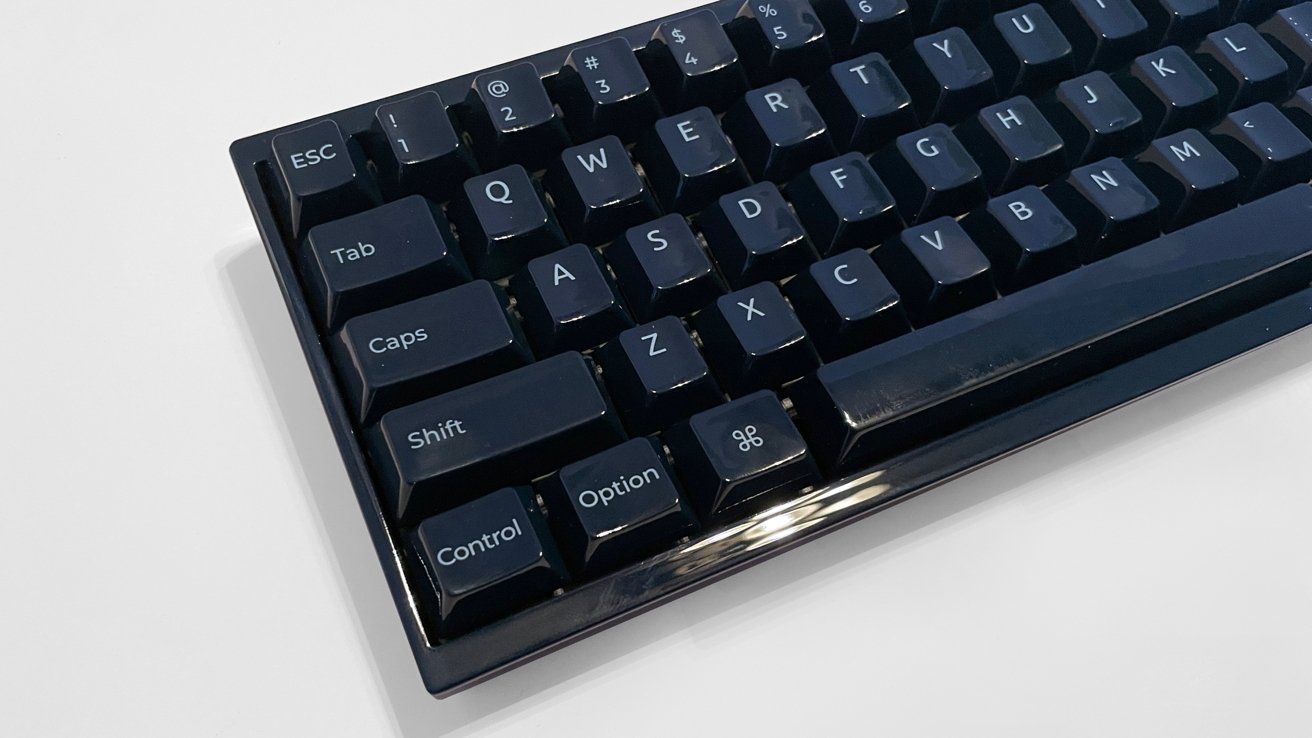
Keychron Q16 HE 8K Review: Ceramics make the keyboard quite shiny
Ceramic keycaps are not new, but with the Q16, they are a new-to-me experience, and I like them very much. The ceramic feels lovely, but my brain needed to catch up to the signals my fingers were sending.
Keychron keyboards are typically beefy and incredibly sturdy. I love its consistency, so it was no surprise to feel how heavy the Q16 is out of the box.
It has a notable amount of heft that lets me know it will not slide around on my workspace while I type. Or when I use key commands with my off-hand while I work on my digital pen display.
There is nothing about the Q16 keyboard, switches, cables, or tools that suggests Keychron is beginning to cut corners on materials or engineering. It is exactly the opposite, as everything feels high-end and custom.
Keychron offers the Q16 in two colors: Navy blue and light green.
Both colors are extreme opposites of the spectrum, and both are deceptive in their appearance. The navy blue appears as a shiny black in anything dimmer than bright overhead light or direct sunlight, with the light green seeming so pale it may as well be light gray.
The color options are intentional, but Keychron has a history of limiting its color options. I hope we see more options for ceramics in the future.
The back of the keyboard has a single USB-C port for connecting and using the Q16, along with a single switch for toggling between macOS and Windows configurations.
Keychron Q16 HE 8K Review: Customization
The Q16 Max arrives with proprietary Keychron ultra-fast lime magnetic switches and Cherry profile ceramic keycaps as standard. These are the only switches available for the Q16 on the Keychron website, but the swappable nature allows for easy custom keycap swaps.
As someone who entered the world of mechanical keyboards and hot swaps a few years ago, I love the endless customization possible. From simple color changes to elaborate 3D printed character keycaps from shops across Etsy and the internet.
Like many modern keyboards, the Q16 allows for basic function customization using combinations of the Function key and additional keys. To dive deeper, you will need to use the Keychron Launcher.
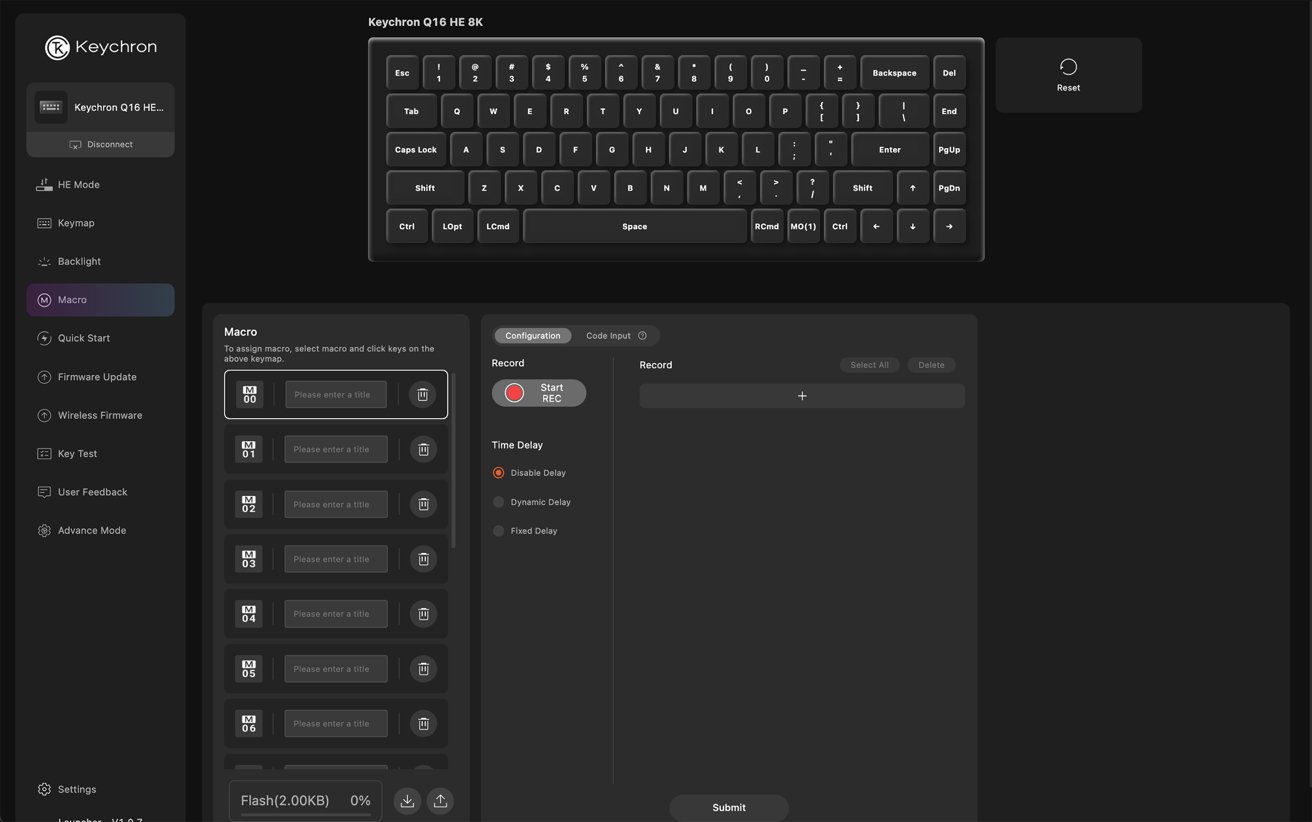
Keychron Q16 HE 8K Review: The customization interface
The proprietary Keychron Launcher is a web-based tool that allows you to change everything from keymapping to the internal RGB lights. It also allows you to add custom macros.
The Keychron Launcher requires you to connect the Q16 to your computer with the provided USB-C cable (along with a USB-C to USB-A adapter if needed) for customizations. While it works very well, I still do not like online-only configuration tools.
The keyboard includes 22 types of RGB backlight settings, adjustable with the Keychron Launcher or through function key combinations.
The default Q16 lights are bright but unobtrusive, making their use a nice accent to the overall experience. At least, compared to sometimes distracting delivery from other manufacturers’ keyboards.
Specifically with the navy-blue model I tested, the lights were lovely and contrasted well with the shiny dark ceramic material.
Keychron Q16 HE 8K Review: In use
For a month, I used the Q16 as a daily-use keyboard on my workspace, and it was a lovely experience.
As a cartoonist and illustrator working in a digital workspace, I prefer smaller, low-profile keyboards. Despite the quality of the Q16 build, I did not expect to like it as much as I do.
In my workflow, I use my dominant hand to draw with a stylus on a digital pen display, while using my off hand to input key commands and move the keyboard around as needed.
I have an average amount of desk real estate, so smaller 65-percent keyboards suit my space well. But my muscle memory for low-profile keyboards had me concerned I would have more fatigue after using the Q16 for extended working hours.
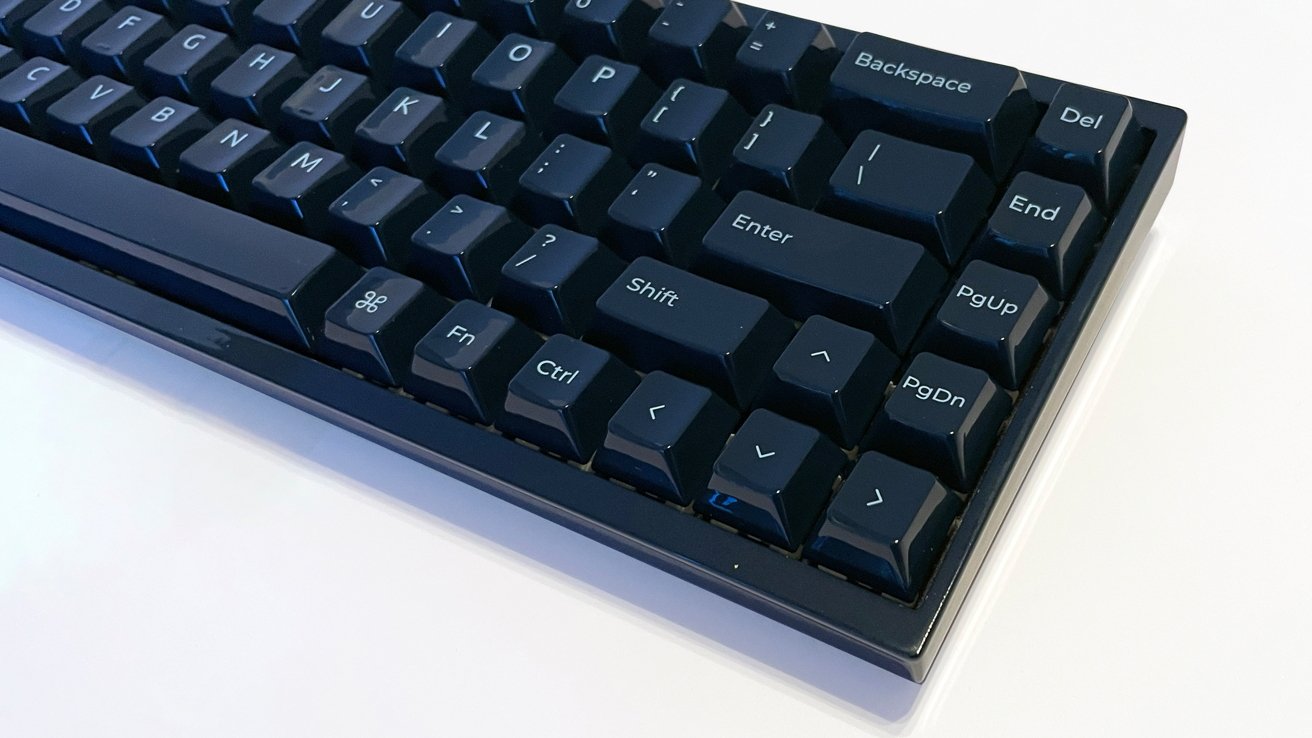
Keychron Q16 HE 8K Review: The other side of the keyboard.
In the end, I did not have added fatigue from the standard Cherry keycaps. The ceramic keycaps are silky and comfortable, with the 8K polling rate from Keychron effectively eliminating input delays.
Typing and playing with the Q16 is a joy.
The Q16 is not a quiet keyboard, but what I loved about it is the deeply satisfying “Thock” sound the magnetic switches deliver. It is so pronounced that it reminds me of early keyboards from the late 80s and early 90s.
The keystrokes are louder (in a good way), and there is zero rattle from the case or keycaps.
As a mechanical keyboard, the Q16 works and it works well, but there are a few issues.
This keyboard is not lightweight. If you need to slide or move your keyboard easily and often (like I do with my drawing tablet workspace), the Q16 makes the process slightly more intentional.
The weight of the ceramic keyboard and the rubber feet hold the Q16 to the desktop surface very well.
Next, there is no wireless connectivity for the Q16. This keyboard operates with USB-C connectivity only, but Keychron does include a USB-C to USB-A adapter.
There is no Bluetooth or 2.4Ghz connectivity, so cable management will be required for Q16 use.
Keychron does not explain this decision in any of its marketing materials, nor its Kickstarter page for the Q16. My guess is it’s something to do with the engineering logistics of the ceramic case, which appears to be one solid piece, with its compact 65 percent layout.
The Q16 will retail for $229 in the online store. At that price, I would expect Bluetooth connectivity at a minimum for maximum functionality.
Keychron Q16 HE 8K Review: High-end with caveats
The quality of the Q16 is amazing, and it is a solid mechanical keyboard if you know what you are investing in.
The retail price of the Q16 is $229, and that is not a small or casual investment for a keyboard. At this retail price, you are making an informed decision, or you are taking a risk on something new.
That is something many consumers are simply not able to do financially.
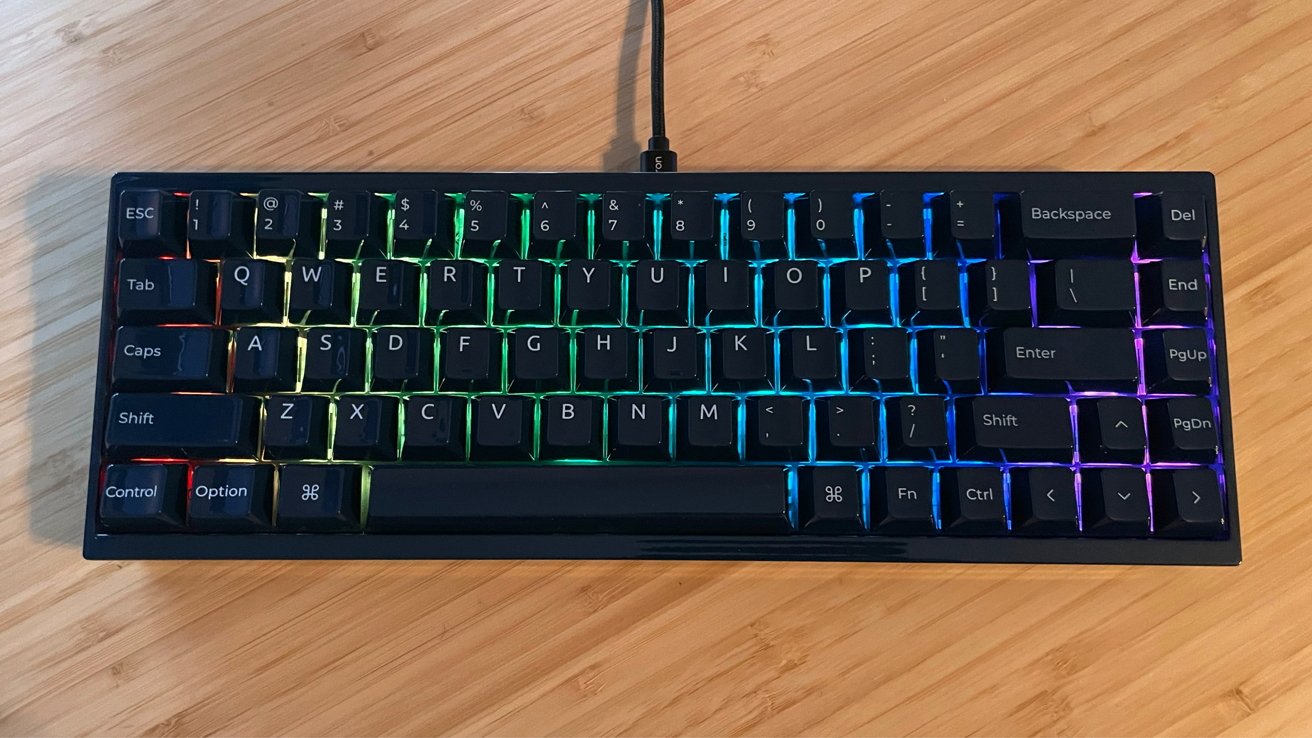
Keychron Q16 HE 8K Review: RGB is nice on the dark-colored keyboard
I have tested many Keychron mechanical keyboards, and I love its commitment to making truly macOS and Windows-compatible products. The Q16 maintains this standard wonderfully.
Keychron rarely misses with the build quality, weight, and potential for customizations in its products. But the price point and the lack of wireless connectivity for the Q16 push it down on the list of top mechanical keyboards.
The world’s first ceramic keyboard is incredibly pretty, and it works very well. But be prepared to pay more for it, live with a USB cable on your workspace, and have less standard mechanical keyboard functionality at the cost of high-end fabrication — and I dare say novelty.
If Keychron releases another ceramic keyboard like the Q16 with wireless connectivity, it will get my money on day one. Until then, I must choose what works best in my workspace.
Keychron Q16 HE 8K Pros
- Smooth tactile ceramic case and keycaps
- High build quality
- Excellent customization options in software
- Hot swappable and deep keycap customization
Keychron Q16 HE 8K Cons
- Steep entry cost
- Lack of wireless connectivity
Rating 4 out of 5
Where to buy the Keychron Q16 HE 8K
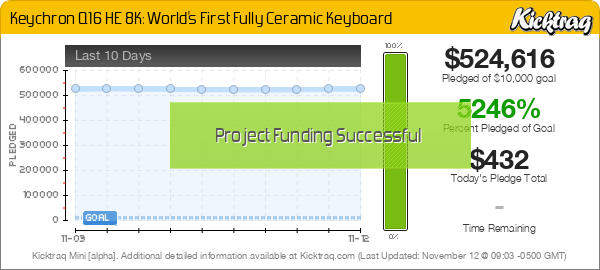
The Keychron Q16 HE 8K is available for presale on the Keychron website for $229 and from the Keychron Kickstarter page at a discounted rate for the next few days as well. Keychron states it will prioritize Kickstarter pledges before initial web store orders.
As part of the review, we’ve also incorporated the fact that it’s a crowdfunded project. As a crowdfunded project, there is always the risk of the product not shipping as promised — or at all.
Because of this,AppleInsiderdoesn’t cover the majority of crowdfunding efforts as a rule, unless hardware is available and after an assessment of the team behind the effort and its previous releases, if any.